
Compare gstack, Superpowers, Get Shit Done, and GBrain for Claude Code: choose delivery breadth, testing, long projects, or persistent memory.
Choosing the right workflow for Claude Code depends on how much structure a team wants around planning, coding, testing and delivery. The source guide compares four tools that extend AI-assisted development in different ways: gstack, Superpowers, Get Shit Done and GBrain. They are not interchangeable. gstack organizes work around specialized engineering roles and broader software delivery tasks. Superpowers emphasizes specification, planning, Test-Driven Development and subagent-driven execution. Get Shit Done focuses on spec-driven development and context management for longer AI coding projects. GBrain sits outside that comparison because it is not a competing workflow. It provides persistent project memory and knowledge that AI agents can retrieve across sessions.
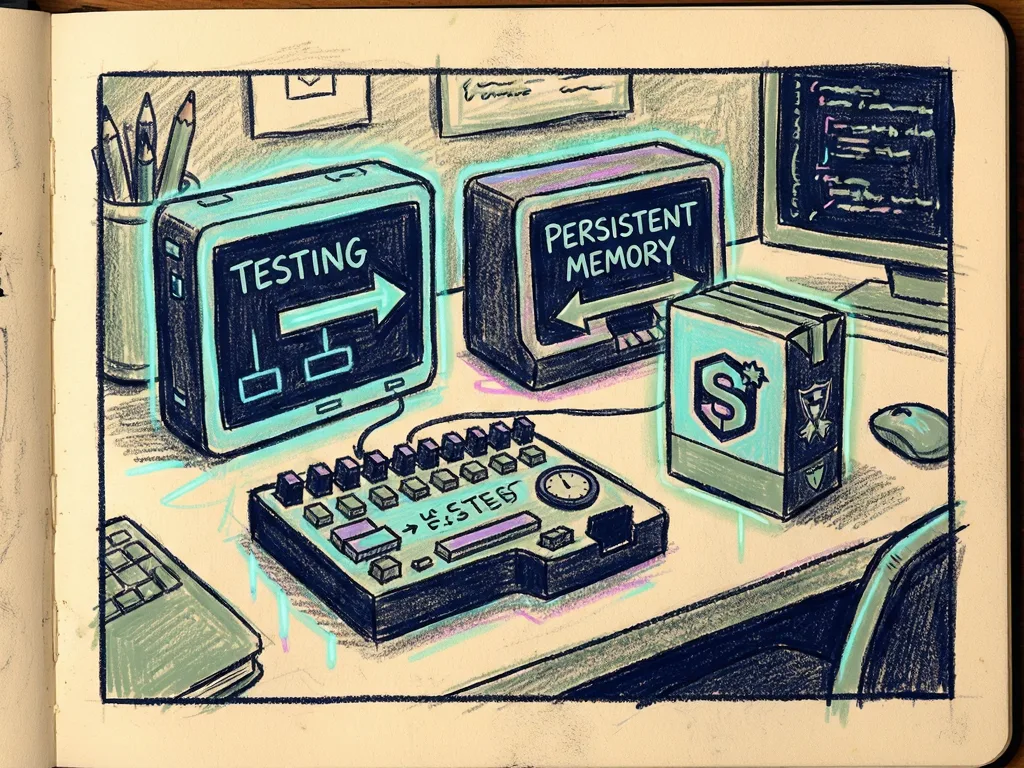
The useful question is not simply which tool looks strongest in a feature list. The better question is which layer of the development process needs more structure: delivery breadth, testing discipline, long-project organization, or memory that survives between sessions.
Quick decision guide
| Tool | Choose it when | Main role |
|---|---|---|
| gstack | You want Claude Code involved across product planning, engineering review, browser-based quality assurance and release tasks | Broader AI software delivery workflow |
| Superpowers | You want disciplined feature development built around requirements, specifications, Test-Driven Development and structured implementation | Structured development methodology |
| Get Shit Done | You need spec-driven workflows and context management for longer AI coding projects | Long-project organization |
| GBrain | You need persistent project knowledge and searchable memory across sessions | Memory layer used alongside other tools |
In short, gstack covers the broadest slice of the development lifecycle, Superpowers enforces Test-Driven Development discipline, and Get Shit Done is built to keep long, complex projects organized across sessions. GBrain is not a fourth competing option. It is a memory layer that can be paired with any of the three.
How the frameworks differ
The main difference is where each framework places its structure. gstack extends Claude Code across broader software delivery roles. Superpowers emphasizes disciplined planning, specification, testing and implementation. Get Shit Done focuses heavily on maintaining project context and execution structure as AI coding projects become more complex.
| Area | gstack | Superpowers | Get Shit Done |
|---|---|---|---|
| Primary approach | Role-based software delivery | Structured development methodology | Spec-driven development and context engineering |
| Planning | Product and engineering workflows | Requirements, specifications and implementation plans | Project specs and phased execution plans |
| Implementation | Specialized engineering workflows | Structured, subagent-driven execution | Task-based execution from defined plans |
| Testing | Code review and browser-based quality assurance workflows | Strong Test-Driven Development emphasis | Verification within planned workflows |
| Context management | Project state and workflow context | Specifications and task-level context | Strong focus on managing context across longer projects |
| Browser workflows | Built-in browser and visual quality assurance capabilities | Not a primary focus | Not a primary focus |
| Typical fit | Broader AI-assisted software delivery | Disciplined feature development | Complex, multi-stage AI coding projects |
gstack: role-based software delivery
gstack is an open-source workflow framework that gives Claude Code access to specialized development roles and skills across the software lifecycle. Its workflows extend beyond code generation into areas such as product planning, engineering review, browser-based quality assurance and release tasks. This makes it useful for developers who want Claude Code involved across more stages of software delivery.
A practical example in the source guide is a new checkout flow. Using gstack, a team could plan the feature, review the implementation, test it in a browser and prepare it for release. That is broader than asking an AI coding tool only to produce code. The workflow is organized around roles and delivery stages.
The trade-off is resource intensity. Browser-based quality assurance and multiple Claude Code sessions can increase the demand on CPU and memory. The source guide recommends more headroom when those tasks run in parallel.
Superpowers: specification and Test-Driven Development
Superpowers is an open-source agentic development framework built around structured software engineering practices. Its workflow combines requirements discovery, specification, planning, Test-Driven Development and subagent-driven implementation. Rather than focusing only on generating code, it introduces guardrails around how features are defined, implemented and verified.
Superpowers offers targeted advantages for developers who want strict testing methodology. It enforces unit test creation before code generation. This prevents untested code from entering repository branches. It also operates without bundled headless browser binaries, which minimizes local CPU and memory overhead. For teams that prefer manual control over planning and release steps, its targeted specification rules and clean prompt guardrails may be more attractive than a broader delivery framework.
Choosing Superpowers suits teams seeking focused Test-Driven Development discipline during local feature implementation. The framework is less about covering the full delivery lifecycle and more about making the path from requirement to verified code more disciplined.
Get Shit Done: specs and long project context
Get Shit Done, the full name used in the source guide for the abbreviation GSD, uses specifications, planning artifacts and structured execution to keep longer AI coding projects organized. It breaks complex work into manageable phases and carries the required project context between tasks. This helps reduce context drift and keeps AI coding tools aligned with the original project scope as development progresses.
For a larger project, Get Shit Done can break the work into phases, create structured plans and verify each phase before moving forward. That makes it especially relevant when the main risk is not writing the next code change, but losing track of why the change belongs to the broader project.
Compared with gstack, Get Shit Done is less focused on broad delivery roles such as product planning, release tasks and browser-based quality assurance. It is more focused on spec-driven development and context engineering. Compared with Superpowers, it is not primarily presented as a Test-Driven Development discipline layer. Its strength is keeping multi-stage, long-running AI coding projects organized.
GBrain: persistent memory, not a competing workflow
GBrain is better viewed as a complement to gstack, Superpowers or Get Shit Done, not a direct competitor. gstack, Superpowers and Get Shit Done structure how AI agents work across planning, engineering, quality assurance and release tasks. GBrain focuses on persistent project memory, helping agents retrieve useful knowledge from previous work and codebase documentation.
A team could use gstack to manage development workflows while GBrain stores architectural decisions, project notes and codebase context for future sessions. This makes the two tools complementary: gstack manages the workflow, while GBrain helps preserve long-term project knowledge.
This distinction matters because memory and workflow are different problems. A workflow framework can organize tasks, but it does not automatically provide a searchable, persistent knowledge layer across sessions. GBrain is useful when the recurring problem is context loss: decisions made earlier, notes written elsewhere, or codebase knowledge that is not carried forward cleanly.
VPS resources for gstack and Claude Code workflows
The hardware needed depends on how many Claude Code sessions, browser tasks and background workflows are planned. For the Bluehost gstack VPS image, the source guide recommends a minimum of 2 CPU cores, 4 GB RAM and 20 GB disk space. For heavier workloads, Bluehost recommends 4 CPU cores, 8 GB RAM and 30 GB disk space.
| Workload | Suggested resources |
|---|---|
| Basic gstack use | 2 CPU, 4 GB RAM |
| Recommended gstack setup | 4 CPU, 8 GB RAM |
| Browser quality assurance and parallel workflows | More CPU and memory headroom recommended |
| Superpowers or Get Shit Done | Depends mainly on Claude Code workload and project size |
gstack generally benefits from more resources when browser-based quality assurance, multiple Claude Code sessions or parallel background tasks are used. Superpowers and Get Shit Done do not rely on the same browser-heavy workflow by default, so their resource needs are more closely tied to the size of projects and the number of concurrent coding sessions.
Why run gstack and Claude Code on a VPS?
Running gstack and Claude Code on a VPS gives an always-on development environment that is not tied to a local machine. This is useful when workflows need to continue even when a laptop is offline, when headless browser workflows need dedicated server resources, when multiple Claude Code or agent workflows run in parallel, when dependencies need to remain consistent across sessions, or when projects need remote access.
For lighter development work, a local machine may be enough. A VPS becomes more useful as workflows become longer, more automated or more resource-intensive. The source guide specifically notes that heavier gstack workflows are better served by the recommended configuration than the minimum setup, especially when browser quality assurance or multiple Claude Code sessions are involved.
Bluehost is mentioned in the source guide as a VPS option. Its Self-Managed VPS is described as giving gstack and Claude Code workflows dedicated server resources with full root access. The guide notes DDR5 RAM and NVMe storage for active development tasks, repositories and browser-based workflows. It also mentions an always-on environment, flexible CPU, memory and storage choices, and a gstack deployment option during supported Self-Managed VPS setup to reduce manual configuration.
Pros, cons and limitations
gstack
Pros:
- Covers broader software delivery roles, including product planning, engineering review, browser-based quality assurance and release tasks.
- Gives Claude Code a role beyond code generation.
- Fits teams that want one workflow to span more of the delivery lifecycle.
Cons and limitations:
- Browser-based quality assurance and parallel tasks can increase CPU and memory needs.
- It may be more than necessary for teams that only want strict local testing discipline.
Superpowers
Pros:
- Strong Test-Driven Development discipline.
- Unit tests are created before code generation, reducing untested code entering repository branches.
- Lightweight local execution because it does not bundle headless browser binaries.
- Clean prompt guardrails for teams that prefer manual control over planning and release steps.
Cons and limitations:
- Less focused on broader delivery tasks such as release workflows and browser-based quality assurance.
- May be less suited to long, multi-stage projects where context management is the main challenge.
Get Shit Done
Pros:
- Strong spec-driven structure for longer AI coding projects.
- Breaks complex work into phases and carries context between tasks.
- Helps reduce context drift and keeps work aligned with original project scope.
Cons and limitations:
- Not primarily focused on browser-based quality assurance.
- Not presented as the strongest choice for teams whose main need is Test-Driven Development enforcement.
GBrain
Pros:
- Provides persistent project memory and searchable knowledge across sessions.
- Can be used alongside gstack or other AI agents.
- Helps preserve architectural decisions, project notes and codebase context.
Cons and limitations:
- Not a standalone workflow replacement.
- Its value depends on the surrounding workflow and how consistently memory is used.
What this means for a workflow choice
The practical takeaway is that these tools answer different questions. gstack asks whether Claude Code should participate across delivery roles. Superpowers asks whether features should be built through specification and Test-Driven Development. Get Shit Done asks whether longer projects can stay organized through specs and phased context. GBrain asks whether agents should have persistent memory across sessions.
For most teams, the decision should start with the bottleneck. If the problem is scattered delivery tasks, gstack may be the broadest fit. If the problem is untested or poorly specified features, Superpowers may be more appropriate. If the problem is long projects losing context, Get Shit Done is likely more useful. If the problem is repeated loss of project knowledge across sessions, GBrain can complement any of the three.
On the infrastructure side, the source guide makes a simple recommendation clear: basic gstack use may run with 2 CPU cores and 4 GB RAM, but heavier workflows, especially browser-based quality assurance and parallel sessions, are better served by 4 CPU cores and 8 GB RAM. The more automation and concurrency a workflow has, the more the machine underneath becomes part of the decision.
Source: provided comparison guide. Specifications referenced from Bluehost gstack VPS image recommendations: minimum 2 CPU cores, 4 GB RAM, 20 GB disk space; recommended 4 CPU cores, 8 GB RAM, 30 GB disk space.
Last updated: 2026-06-22
Reader notes 0
- No notes yet. Corrections and first-hand test results are welcome.