
n8n Labs Nod is a standalone Mac/Windows AI agent with a private VM and browser for solo recurring tasks, separate from team workflow automation.
n8n Labs’ Nod is best understood as a separate product experiment, not an extension of n8n’s core workflow automation platform. In its November 10, 2026 announcement, n8n introduced Nod as a standalone personal AI agent with its own computer and browser, designed for one person’s recurring errands rather than a team’s shared processes. That distinction matters because it changes the assumed user, deployment model, trust requirements, and failure expectations.
Last updated: November 10, 2026
What n8n Announced
Nod is a standalone app for Mac or Windows. It does not require an n8n account, a server, or a cloud service to set up first. A user installs it locally, connects a handful of accounts, and asks it to perform tasks. For now, the user connects their own AI provider, using an API key or a ChatGPT plan. n8n says this suits someone already comfortable with that kind of setup.
The product comes from n8n Labs, a new team inside n8n created to try ideas outside the core workflow product. n8n explicitly states that Nod does not change the direction of the main n8n platform, and that work on n8n and the n8n ai agent used by workflow builders will continue as planned.
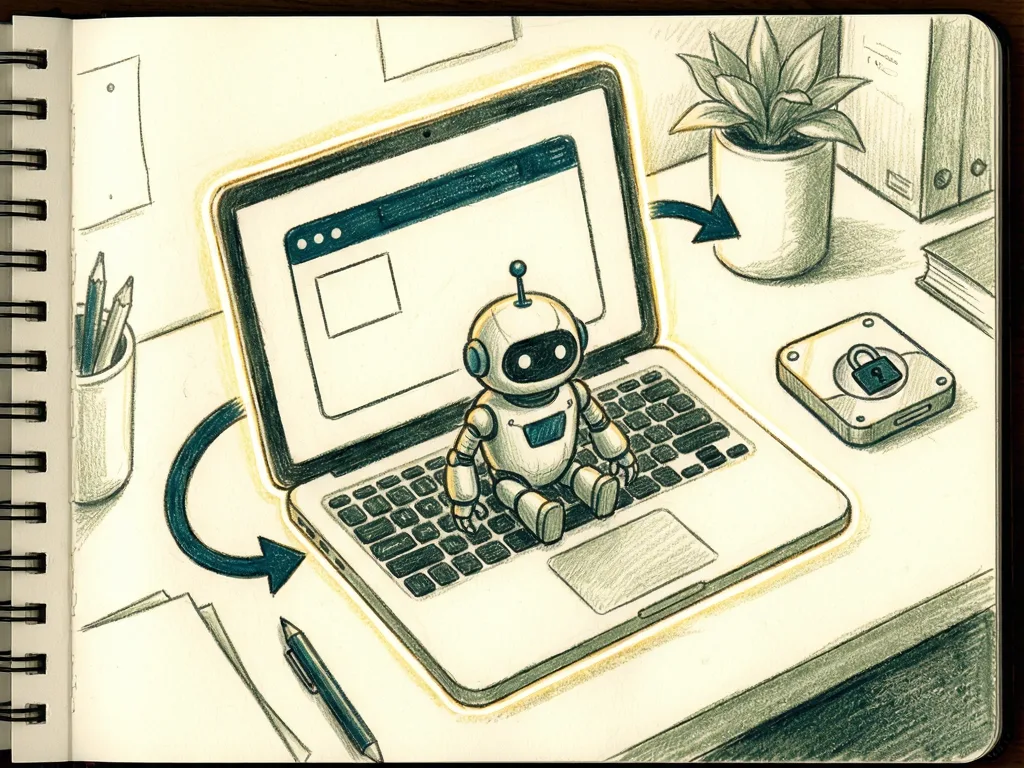
Nod runs in its own local computer environment: a private virtual machine with its own browser. n8n frames this as a way to let the agent complete jobs that a chat tool might otherwise hand back to the user as a to-do list.
Why the Product Split Matters
n8n draws a clear line between multiplayer and single-player automation. Much of what people build in n8n is shared work: processes that a team or business runs on one n8n instance. Nod is built for one person. It connects to that person’s accounts and handles jobs that belong to them alone, whether those jobs are for their business or their household.
Early testers, according to n8n, naturally divided their tools into three roles:
- A chat assistant is where they think and write.
- n8n runs shared processes.
- Nod takes ongoing jobs that are theirs alone.
That split suggests a practical category boundary. Personal agents may need different assumptions from workplace automation platforms: one owner, local execution, account-level access, schedule-based background work, and a trust model designed around private errands rather than team visibility.
What Nod Is Built to Do
n8n’s examples read less like a technology demo and more like a list of recurring personal or small-business chores. Nod is positioned to handle jobs such as:
- Canceling a subscription, turning down retention offers, and asking for a refund.
- Watching a price and notifying the user when it drops.
- Finding a hotel that fits a trip and booking it once the user says go.
- Signing in to supplier portals each month, downloading invoices, and filing them for an accountant.
- Pulling last week’s numbers from a dashboard that has no export option and placing them in a weekly report.
A key part of the pitch is that none of those tasks require an API. Nod carries its own browser into websites that were never built to talk to an agent. n8n treats a missing integration as something to work around rather than a wall to stop at.
Nod can also work ahead of the user. It reads connected apps and offers jobs it could take off the user’s plate. The user can talk to it in one conversation, either in the app or on Telegram or WhatsApp, while Nod runs several jobs in parallel in the background. Repeating tasks, such as a morning brief or a price check, can run on a schedule.
Comparison: Nod, n8n, and a Chat Assistant
| Dimension | Nod | n8n | Chat Assistant |
|---|---|---|---|
| Primary user | One person | Team or business user | Individual or team member |
| Main job | Personal errands and ongoing solo tasks | Shared processes and workflow automation | Thinking, writing, and conversation |
| Deployment | Mac or Windows app, no n8n account or server needed | Often run on a self-managed server or instance | Usually hosted or accessed through a provider |
| Execution environment | Local private virtual machine with its own browser | n8n workflows and the n8n ai agent inside the platform | Conversation interface; may return steps for the user to do |
| Integration approach | Browser-based workarounds when no API exists | Workflow integrations and n8n ai agent building | Depends on provider tools and connectors |
| Trust model | Open source code, local execution, separate action check, encrypted credentials, logs, spending controls | Shared process governance inside n8n | Depends on chat provider and permissions |
| Status | Research preview and n8n Labs experiment | Core product | General-purpose assistant |
How Nod Is Built to Earn Trust
An agent that can send email, use a saved card, sign in to accounts, and act on a schedule raises a different risk profile than a chatbot. n8n addresses this by describing several guardrails.
Nod’s code is open source under an Apache 2.0 licence, and n8n says every rule Nod follows is in that code. It runs inside a private virtual machine on the user’s own computer, with its own browser, so data, memory, and saved logins stay on the machine running it.
Before Nod sends, pays, posts, or deletes anything, a separate check confirms that a person actually asked for the action. n8n states that a web page or an email cannot give Nod orders on its own. Saved logins and cards are encrypted on the machine, and Nod enters them through private forms that the model cannot read. Every sign-in, card use, and action is logged, along with what each task cost.
Cost controls are also part of the design. Nod shows what each task cost and ends a finished task with a receipt. A user can set a monthly spending limit. Nod checks in once a single task passes five dollars, and that amount can be changed.
Still, n8n acknowledges uncertainty. The permission check is itself a model, and it can make mistakes. That is why Nod asks when a person’s words do not clearly cover an action.
Where Nod Still Falls Short
n8n is explicit that Nod is not a finished product. It is a research preview from n8n Labs. Several limitations remain:
- When Nod runs on a laptop, it stops when the laptop sleeps.
- Each installation has one owner.
- It cannot make phone calls.
- Some early testers found tasks cost more than they expected.
- A hosted version of Nod is on the roadmap, but it does not exist yet.
Some testers already keep Nod on an always-on Mac mini or run it on their own server instead of a laptop. That is a familiar issue for n8n’s workflow platform too. Teams typically run n8n on a persistent, self-managed server rather than a laptop because automations that fire on a schedule need a machine that does not sleep.
n8n presents these gaps as expected at this stage. That is also why it calls Nod an experiment rather than a completed product.
What This Means for Readers
For users who already manage their own AI provider access and want to automate personal or solo-business errands, Nod is a focused test of a different kind of agent: one that runs locally, keeps its own browser, acts on schedules, and is expected to work around missing APIs.
For teams using n8n, the announcement does not signal a change to the core product. n8n says the n8n ai agent and workflow platform continue as planned. Nod is separate.
The more interesting question is whether personal AI agents will become their own software category, distinct from team automation platforms and chat assistants. n8n’s product split suggests that personal agents may need their own execution environment, account controls, spending limits, and permission checks. Nod is an early attempt to define what that looks like.
Sources
- n8n announcement: “Meet Nod: a standalone personal agent from n8n Labs that runs on your computer,” published November 10, 2026.
- Bluehost Blog post: “n8n Just Gave You a Personal AI Agent with Its Own Computer.”
Reader notes 0
- No notes yet. Corrections and first-hand test results are welcome.