
Hostinger Preview shares local projects via one-command HTTPS links, easing client review and quick deployment with hostinger up.
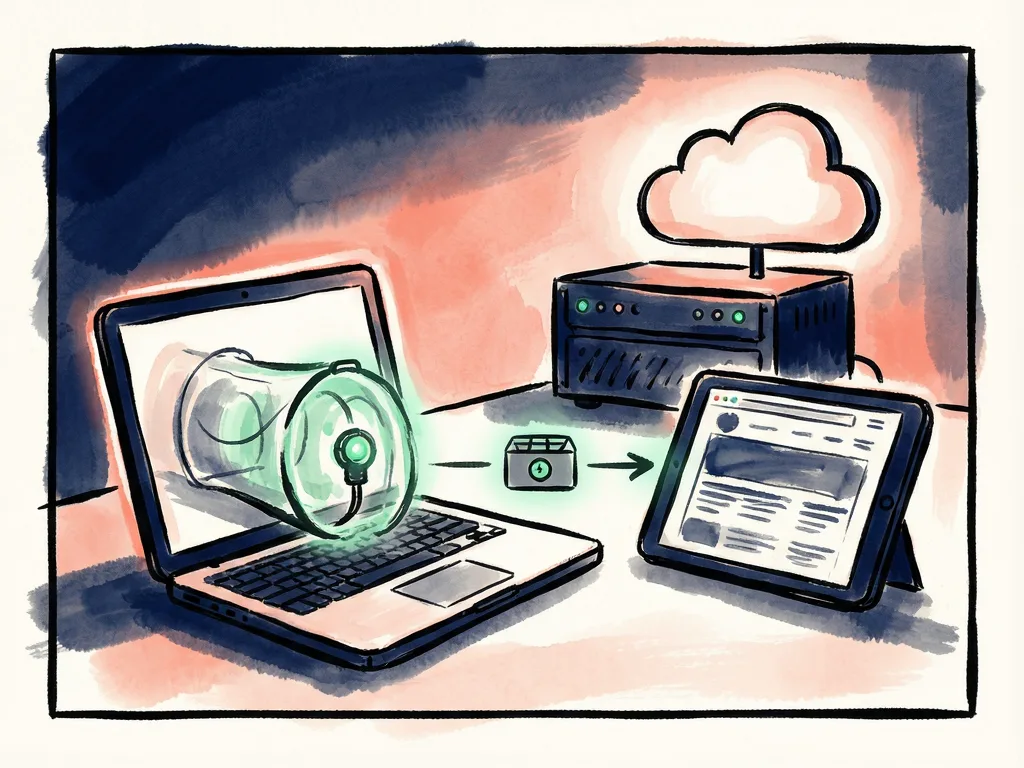
Hostinger has launched Preview, a free tool that lets developers share a project running on their local server with a single command. Preview generates a temporary HTTPS link that clients can open in any browser. The core judgment is that Preview is less a new hosting product than a workflow shortcut: it removes the staging-server or separate-tunnel setup that can delay client review after a project is built.
The timing matters. Hostinger cites Stack Overflow’s 2026 Developer Survey, which reports that 65.9% of developers now use AI coding assistants or agents at work. AI can speed up writing and debugging code, but it does not solve the last mile of showing a local application to a client. A local server runs only on the developer’s machine, so sharing usually requires extra steps. Preview compresses those steps into one command and one link.
What Hostinger Preview does
Developers install the Hostinger CLI, the company’s command-line interface, sign in with their Hostinger account, and run `hostinger preview` in their project folder while the development server is running. There are no config files or DNS records to set up. The tool returns a shareable HTTPS link and shows where it forwards and when it expires. It finds the development server on the usual ports, or developers can name the port.
Anyone with the link can open it, with no account or sign-up needed. Before the project loads, visitors see a short Hostinger notice explaining that it is a temporary preview that stays online for up to 24 hours. One click on Continue to the site takes them to the project.
Hostinger positions the tool as both a demo mechanism and a launch mechanism. When a client approves, the same command-line workflow can move the project live through `hostinger up`. The deployment is described as taking place in under a minute. The CLI detects the app type and build settings for the developer to confirm, and every launch includes SSL, a CDN, and a free subdomain or the developer’s own domain.
Why the workflow convergence matters
The most practical benefit is not the link itself. It is that demo and launch can happen in one place. A developer can show a local project, receive approval, and deploy the same project without moving files to a staging server or switching to another tool. Aurimas Lapienė, principal systems engineer at Hostinger, said, “Sharing your work should be the easy part. Preview gets a local project online in one command, and when the client says yes, the same tool takes it live.”
This matters especially for freelancers and agencies, where the client review stage often determines whether a project moves forward. Agnė Liutkienė, lead of web hosting marketing at Hostinger, said, “For freelancers and agencies, the client review is where a project moves forward or stalls. Preview gives them a link they can send in seconds, and a direct path to launch the moment the client says yes.”
The tool also fits the AI-assisted development pattern described by the Stack Overflow survey. Developers can ask Claude Code, Codex, Cursor, or another coding agent to start, stop, or list previews without leaving their editor. That does not make the preview more secure, but it reduces context switching. If an agent can generate code and then present the result for review, the approval loop becomes shorter.
Comparison: Preview versus a separate tunnel or staging setup
| Dimension | Hostinger Preview | What the source contrasts against |
|---|---|---|
| Initial setup | Install Hostinger CLI, sign in, run `hostinger preview` | Set up a staging server or install and configure a separate tunnel tool |
| Configuration | No config files or DNS records | The source presents configuration as the friction Preview removes |
| Access | Temporary HTTPS link; visitors need no account | Not specified by source |
| Duration | Up to 24 hours, or earlier if stopped or computer sleeps | Not specified by source |
| Launch path | `hostinger up` deploys the same project in under a minute | Separate tools would require a different handoff |
| Agent use | Claude Code, Codex, Cursor, or another coding agent can control previews | Not specified by source |
| Cost | Free; no hosting plan required for Preview | Not specified by source |
The comparison is deliberately narrow. Hostinger does not claim that Preview replaces all staging environments or tunnel tools. It targets a common sequence: run a local development server, generate a temporary link, show it to a client, and deploy if approved.
Limitations and risks
Preview is temporary by design. Each preview is linked to the developer’s Hostinger account and forwards to their machine, so it stays live only while the command runs. It expires automatically after 24 hours, or earlier if the developer stops it or their computer goes to sleep. That means the developer must keep the local project available for the client to review it.
The link access model is simple, but it is not granular. Anyone with the link can open it, and no account or sign-up is required. The source does not describe password protection, visitor authentication, or link revocation controls beyond stopping the command or letting it expire. For non-sensitive demos, that may be convenient. For work-in-progress features, client data, or internal tools, developers need to consider who might receive the link and whether the temporary notice is sufficient protection.
Hostinger’s launch path is also not free in the same way as Preview. Preview is free with no hosting plan required, but keeping a project online permanently with `hostinger up` needs a paid Hostinger hosting plan. Visit tracking, including live viewers, total visitors, and a request log, is described as coming soon, so it is not part of the current toolset according to the source.
What it means for readers
For developers who already use Hostinger, Preview reduces a repetitive step between building and selling. For freelancers and agencies, it may shorten the review cycle by making a local project visible in seconds. For teams using coding agents, it adds a practical way for those agents to present work without leaving the editor.
The uncertainty is whether this convenience is enough to make developers abandon existing tunnel tools or staging habits. The source provides a clear workflow, but it does not provide independent usage data, enterprise controls, or long-term performance information. Readers should treat Preview as a convenience layer for temporary demos and a bridge to Hostinger hosting, not as a replacement for staging environments, access controls, or permanent deployment planning.
Sources
Hostinger Blog: “Hostinger launches Preview, a free tool for sharing local projects with clients.”
Stack Overflow’s 2026 Developer Survey, as cited by Hostinger.
Last updated: 2026-06-16
Reader notes 0
- No notes yet. Corrections and first-hand test results are welcome.